Running a coding agent on a remote Linux machine is straightforward until it asks for
a microphone. SSH brings the terminal to the MacBook, but the built-in microphone
stays on the Mac. Starting OMP's /live mode remotely doesn't make that
device appear on Linux.
I wanted the remote machine to own the coding session while the laptop supplied the audio. The session also needed to survive a closed terminal, and microphone access needed an obvious start, stop, and visible indicator. The setup combines cmux, SSH, tmux, PulseAudio, and a small native macOS helper.
This is an expanded version of
my walkthrough on X.
The commands use remote-host as an SSH host alias and
remote-user as the Linux account; replace those with the values for your
machine.
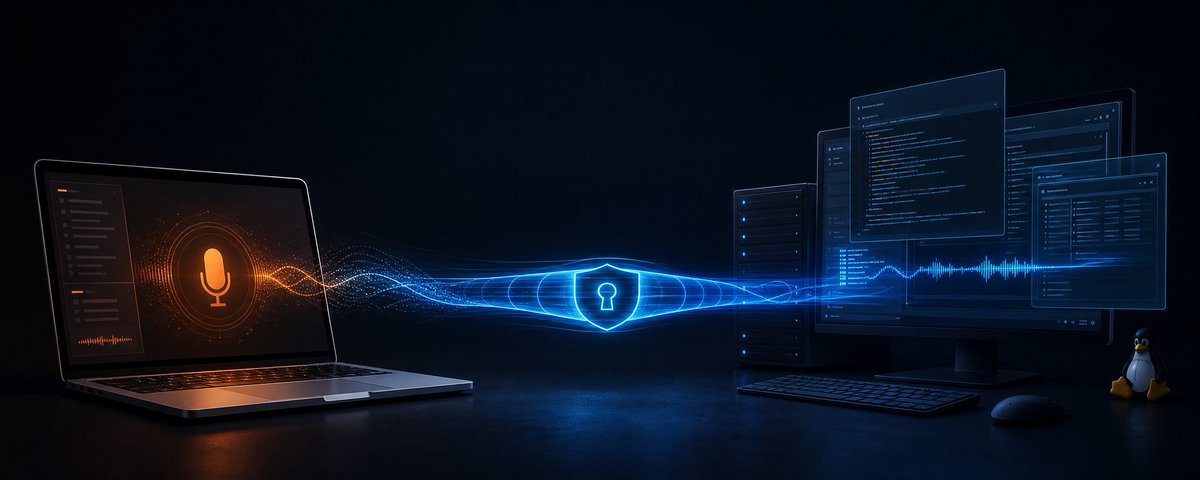
Two machines, one audio server
PulseAudio is an audio server. Applications connect to it to record from an input, called a source, or play through an output, called a sink. Here the server runs on the Mac, where it can access the microphone. OMP runs on Linux and connects back to that server.
The Mac's PulseAudio listener is 127.0.0.1:4713. An SSH reverse forward
creates a listener on the remote machine and connects incoming traffic back to the
Mac's listener. OMP therefore connects to a Linux loopback address even though the
audio device is physically elsewhere.
The same address, on two different machines
127.0.0.1:4713
OMP opens a connection here.
SSH owns this listener.
127.0.0.1:4713
SSH connects here.
PulseAudio owns this listener.
- Connection request
- Linux client → Mac audio server
- Microphone samples
- Mac input → Linux client
This distinction explains why a reverse tunnel is useful. The laptop already initiates SSH to the remote host. The forwarding rule lets a process on that host reach a service on the laptop without exposing the Mac's audio port on the network.
In the OMP 18.0.11 Linux audio implementation, the PulseAudio stream is opened with default server and device arguments. The PulseAudio client library can resolve those defaults from the process environment. That is the opening this bridge uses: configure the audio client rather than move the coding agent.
Keep OMP in tmux
cmux is the local terminal workspace. SSH is the connection to Linux. tmux owns the persistent terminal session on Linux, with OMP running inside it. These tools have different lifetimes.
tmux new-session -A -s remote-omp
-s names the session. -A attaches to that name when it
already exists, so reconnecting returns to the same shell and running process. When
the SSH connection ends, the tmux client detaches and the remote session remains
available, as described in the
tmux getting-started guide.
The persistence boundary matters. A dropped connection removes the audio tunnel. OMP can remain alive, but live microphone delivery cannot continue through a tunnel that has disappeared. Reconnecting restores the route; the voice stream may need to be restarted. The remote host and tmux server must also remain running. This arrangement doesn't make the session survive a host reboot.
Connect with a reverse forward
The local wrapper opens the cmux workspace and attaches to tmux:
remote-omp() {
  cmux ssh remote-host --name "remote-omp" \
    --ssh-option 'RemoteForward=127.0.0.1:4713 127.0.0.1:4713' \
    --ssh-option 'ExitOnForwardFailure=yes' \
    --command 'exec tmux new-session -A -s remote-omp'
}
This follows the wrapper from the X post, with the remote loopback bind and
forwarding-failure check made explicit. remote-omp is a custom shell
function. The --ssh-option and --command flags belong to
cmux.
Read the forwarding rule as two endpoints. The first 127.0.0.1:4713 is
the listener requested on Linux. The second is the destination reached from the Mac.
OpenSSH's RemoteForward documentation
defines that order.
ExitOnForwardFailure=yes makes an occupied remote port or rejected
forwarding request visible by failing the connection. It doesn't test whether
PulseAudio is accepting connections at the destination. A successfully created tunnel
still needs a running audio server.
Keep both listeners on loopback and check the effective Linux bind address if the SSH
server has a custom GatewayPorts policy. Only one connection can own the
same listening address and port at a time. A second remote-omp connection
can collide with the first; use the existing workspace or choose a different remote
port and update PULSE_SERVER to match.
Start local audio on demand
The Mac has PulseAudio installed, but the bridge starts explicitly:
remote-audio-start
remote-audio-stop
These are custom helpers from this setup, not commands supplied by OMP or PulseAudio.
remote-audio-start starts the configured PulseAudio daemon and the
microphone indicator helper. remote-audio-stop shuts down both. Their job
is to make the bridge's lifetime deliberate.
The local audio configuration needs a native TCP listener bound to loopback, plus the Mac audio input. For a running PulseAudio instance, the relevant listener can be loaded like this:
pactl load-module module-native-protocol-tcp \
  listen=127.0.0.1 port=4713 \
  auth-anonymous=0 auth-cookie-enabled=1
This is the listener configuration, not a complete replacement for the start helper. Device loading and the native helper are separate parts of that setup. Configure the listener once per daemon lifetime, or load it from the daemon's configuration; repeatedly loading the same port will fail. PulseAudio documents the options in its module reference.
The server and remote client use the same authentication cookie. Copy the cookie used
by the Mac daemon over SSH and keep the remote copy readable only by the Linux
account. In this setup its remote path is
/home/remote-user/.config/pulse/macbook-pulse.cookie. The cookie is a
shared secret for PulseAudio access; SSH encrypts the connection between machines.
They perform different jobs.
If the daemon uses a custom cookie path, copy that file rather than assuming the default. PulseAudio's network setup documentation explains why both sides must share the cookie.
Select the MacBook microphone
The post's working input was source 1. The local default was selected
with:
pactl list short sources
pactl set-default-source 1
The listing should identify the built-in microphone before selecting it.
1 is the index in this setup, not a universal MacBook microphone
identifier. Recheck it after restarting the daemon or changing connected audio
devices. Where available, a verified source name is easier to carry across
configuration than an assumed numeric index.
The remote OMP process also gets PULSE_SOURCE=1. That gives this client
an explicit choice instead of relying only on whichever input is currently the server
default. A headset or Bluetooth microphone changing the default then doesn't silently
change the intended input.
Crucially, that source belongs to the PulseAudio server on the Mac. Listing devices on an unrelated Linux audio server won't tell you which source this connection uses. A source list is meaningful only after confirming which server answered it.
Give OMP its audio environment
The remote fish function applies the settings each time OMP launches:
function omp
    env \
        PULSE_SERVER=127.0.0.1:4713 \
        PULSE_COOKIE=/home/remote-user/.config/pulse/macbook-pulse.cookie \
        PULSE_SOURCE=1 \
        /home/remote-user/.local/bin/omp $argv
end
The absolute executable path prevents the function from calling itself.
$argv passes the original arguments through, so omp -c still
works. Adjust the executable path if OMP is installed elsewhere.
PULSE_SERVER- The remote endpoint of the SSH tunnel.
PULSE_COOKIE- The Linux path containing the Mac daemon's authentication cookie.
PULSE_SOURCE- The selected input on that server.
These are PulseAudio client settings. They must be present in OMP's environment when it opens audio. Reload the fish configuration before launching:
source ~/.config/fish/config.fish
omp -c
Setting variables in tmux is useful for new panes too. The original wrapper used
tmux set-environment -g. tmux keeps global and per-session environments;
a session value overrides the global value when it starts a new process. Its
environment documentation
describes that merge.
An already running shell or OMP process doesn't receive later tmux environment changes. The fish wrapper avoids depending on an old pane's inherited values by applying the settings directly to each new OMP process. Reloading the function changes future launches; restart OMP to use the new configuration.
Make microphone access visible
The native macOS helper opens the built-in microphone through AVFoundation and discards the samples it captures. It starts and stops with the audio bridge. That gives macOS a native capture client to report through its orange microphone-use indicator.
The helper has a narrow role: hold microphone access open and make that access visible. PulseAudio carries the audio to Linux. The helper isn't the component forwarding it.
Apple describes the orange dot as microphone use. The helper needs Microphone permission and an appropriate usage description in its app configuration. Screen and System Audio Recording permission is unrelated to opening this microphone. AVFoundation's capture authorization documentation covers the permission request.
Stopping the bridge should release the helper's capture session as well as stop PulseAudio. If another app is using a microphone, macOS can still display an indicator afterward. OMP's mute control also shouldn't be confused with shutting down local microphone access.
Use the complete workflow
- On the Mac, run
remote-audio-start. - Run
remote-ompto create the tunnel and attach to tmux. -
In the remote fish shell, reload the configuration if it changed, then run
omp -cto continue the latest OMP session. - Inside OMP, enter
/live. -
When finished, end voice mode and run
remote-audio-stopon the Mac.
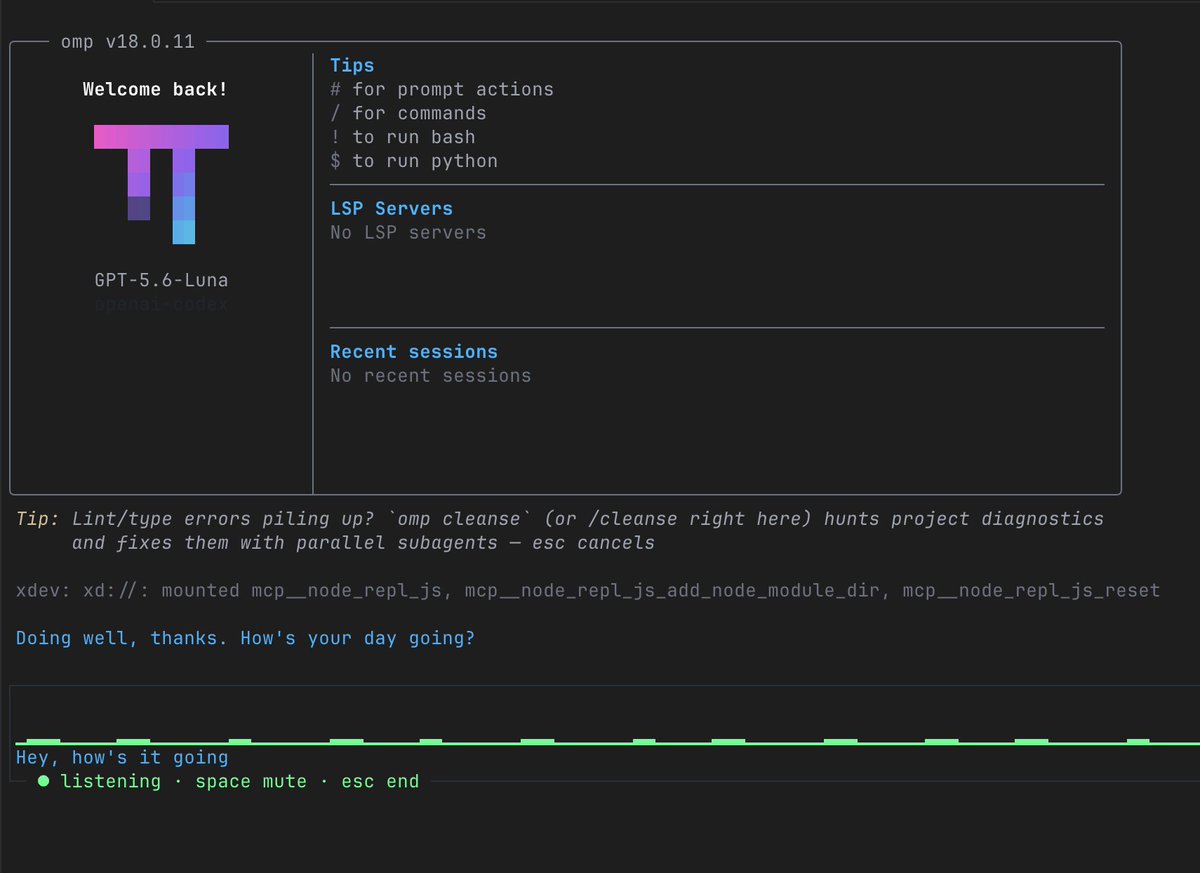
If SSH disconnects, run remote-omp again. Attach to the surviving OMP
process first; starting another OMP instance in the same working directory isn't
required just to reconnect. If voice capture fails after the connection returns,
restart voice mode once the route is healthy.
There is also a latency boundary. The remote audio path includes buffering and a
network round trip. OMP 18.0.11's Linux backend uses a 200 ms latency target when
PULSE_SERVER is set, unless a valid
PULSE_LATENCY_MSEC overrides it. The
versioned implementation
makes this trade-off explicit: a deeper buffer tolerates network jitter, at the cost
of delay. That target isn't a measurement of total conversational latency.
Debug from the server to the process
The useful failure from the original setup was:
PulseAudio open failed: Connection refused
ALSA open of default failed
The first line points to the PulseAudio connection. The second reflects an unsuccessful local ALSA fallback in OMP's Linux backend. Configuring a Linux microphone won't repair a missing route to the Mac. Check the chain in order.
-
Mac server: has
remote-audio-startfinished, and is PulseAudio listening on local port 4713? - SSH forward: did the remote listener bind successfully, and is the connection still alive?
- Authentication: does the remote cookie match the one the Mac daemon uses?
- Input: does the selected source still identify the built-in microphone?
- OMP launch: was this process started with the audio settings after the bridge was ready?
With PulseAudio client tools installed on Linux, this diagnostic connects to the same forwarded server:
env \
  PULSE_SERVER=127.0.0.1:4713 \
  PULSE_COOKIE=/home/remote-user/.config/pulse/macbook-pulse.cookie \
  pactl info
It checks server reachability and authentication. It doesn't prove that microphone
samples reach OMP. Use the same two variables with
pactl list short sources to inspect the forwarded server, then check the
selected input and live capture separately.
The post used env | grep PULSE to inspect the shell. With the fish
wrapper above, those values are set for the child command only, so the surrounding
shell may show none. An empty shell listing doesn't prove that OMP lacks the
variables. Check the wrapper's values and relaunch through it.
In the original failure, OMP had been launched before the tunnel or environment was
ready. Reloading fish and restarting with omp -c addressed the launch
state. A listener failure, cookie mismatch, and stale process environment are
different faults; restarting blindly makes them harder to distinguish.
A persistent session, with explicit audio
The result is the workflow I wanted: the remote machine keeps the coding session, the MacBook supplies its built-in microphone, and the bridge runs only when enabled. tmux makes reconnection routine, while the native helper makes local microphone access visible.
The arrangement is easier to reason about once each responsibility is clear. tmux preserves the process. SSH carries the connection. PulseAudio exposes the audio device to the client. The launch wrapper selects the server, cookie, and input. The helper reports local access.
That also gives each failure somewhere to look. Reattach when the terminal disappears, restore the tunnel when audio loses its route, and relaunch OMP when its launch environment changes. Keeping those lifetimes separate makes a local microphone practical for a remote coding session without keeping the audio bridge permanently running.